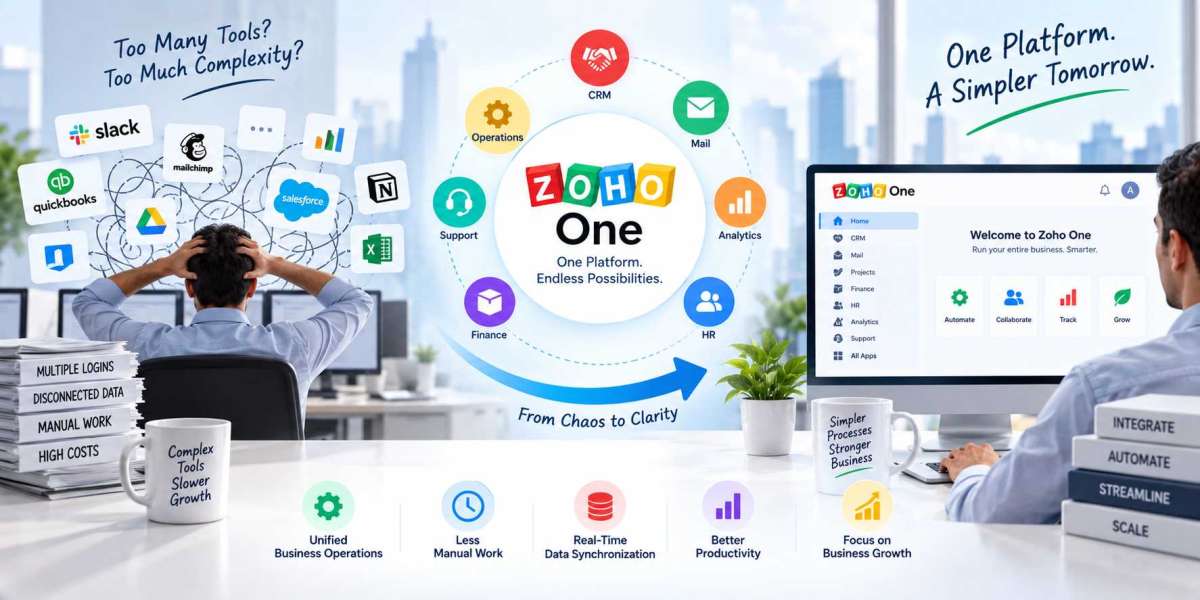

Running a growing business often means adding more software. One tool handles customer relationships, another manages accounting, another supports marketing, while separate applications take care of projects, communication, forms, analytics, and internal operations. At first, this may seem manageable. Over time, however, employees may find themselves switching between multiple platforms, entering the same information more than once, and trying to keep different systems connected.
This is where Zoho One Implementation Services can make a meaningful difference. Zoho One brings a broad collection of business applications into one ecosystem, but simply subscribing to the platform does not automatically remove complexity. Businesses need proper planning, configuration, data organization, integrations, automation, user permissions, and training to make the system work around their actual processes.
With the right implementation approach, Zoho One can help businesses reduce application overlap, improve data visibility, automate repetitive work, and create a more connected digital environment. Vision Infotech helps businesses plan and implement Zoho solutions based on their operational requirements rather than treating implementation as a one-size-fits-all setup.
What Is Software Complexity in a Growing Business?
Software complexity is not simply the number of applications a company uses. It is the difficulty employees experience when those applications do not work together efficiently.
For example, imagine a company using one application for sales, another for accounting, a spreadsheet for customer follow-ups, an email platform for marketing, and a separate project management tool. Each system may work well individually, but employees still have to move information between them.
This can create several problems:
- Duplicate data entry
- Inconsistent customer information
- Manual reporting
- Repetitive administrative work
- Difficulty tracking business activities
- Multiple software subscriptions
- Complicated employee training
- Limited visibility across departments
The goal is therefore not necessarily to eliminate every business application. The goal is to create a simpler technology environment where employees can access the information and tools they need without unnecessary switching and manual work.
How Can Zoho One Reduce Software Complexity?
Zoho One Implementation Services can help businesses approach software consolidation strategically. Instead of adding another isolated application, businesses can evaluate which existing processes can be managed within the Zoho ecosystem.
Zoho One includes applications for CRM, finance, marketing, collaboration, human resources, analytics, business intelligence, workflow automation, and application development.
The important part is how these applications are configured.
1. Bringing Business Functions Into One Ecosystem
A major source of complexity is having different platforms for different departments.
Sales teams may work in a CRM, accountants may use accounting software, marketers may use another platform, and managers may rely on spreadsheets to understand overall performance.
Zoho One can connect these business functions through a broader application ecosystem.
For example, customer information captured by a sales team can support downstream activities such as invoicing, customer communication, reporting, and service management.
This reduces the need to maintain completely separate information silos.
2. Reducing Duplicate Data Entry
Duplicate data entry is one of the most common problems created by disconnected software.
Suppose a sales representative enters a new customer into a CRM. If the accounting team then has to manually enter the same customer into another system, there is unnecessary work and a greater possibility of mistakes.
A properly planned implementation can connect relevant applications so information can move between systems according to defined business rules.
Zoho One Implementation Services can therefore help identify where information is repeatedly entered and determine which processes can be automated or integrated.
This does not mean every piece of data should automatically move everywhere. Good implementation focuses on moving the right information to the right system at the right time.
Creating a More Connected Customer Journey
Customers rarely interact with only one department.
A potential customer may first respond to a marketing campaign, speak with a salesperson, receive a proposal, make a purchase, and later contact customer support.
If every department works from disconnected systems, employees may not have a complete view of the customer's journey.
A connected Zoho environment can help businesses organize these interactions more effectively.
Example: A Growing Service Company
Consider a professional services company that receives leads through its website.
Previously, the marketing team stored leads in one platform while sales representatives maintained separate spreadsheets. Once a customer signed a contract, accounting manually created the customer record in its financial system.
After implementing a connected Zoho environment, the business could structure the process so that lead information flows through defined stages, customer records are maintained consistently, and relevant financial or service processes are triggered at appropriate points.
The result is not simply fewer applications. It is a more organized workflow.
Automating Repetitive Business Processes
Software complexity often becomes visible through repetitive tasks.
Employees may spend hours sending routine emails, updating records, assigning tasks, creating notifications, preparing reports, or moving information between systems.
Automation can reduce this administrative burden.
For example, a business could configure workflows for:
- Lead assignment
- Customer follow-up reminders
- Sales notifications
- Approval processes
- Invoice-related activities
- Internal task creation
- Customer communication
- Record updates
- Management alerts
The exact automation should depend on the company's process. Automating a poorly designed workflow can actually create more problems.
This is why Zoho One Implementation Services should begin with process analysis rather than immediately configuring workflows.
Improving Financial Management
Finance is another area where disconnected software can increase complexity.
Businesses often need to manage invoices, expenses, payments, customer information, financial reporting, and tax-related records. When these activities are spread across unrelated systems, finance teams may spend additional time reconciling information.
For smaller organizations evaluating the Best Accounting Software For Small Business In USA, the important consideration should not only be the number of features. Integration with the rest of the business technology environment also matters.
Zoho's finance applications can be connected with other business functions where appropriate. This can provide businesses with a more structured way to manage financial information alongside sales and operational data.
However, accounting requirements vary by business, industry, and jurisdiction. Financial workflows should therefore be configured based on actual requirements rather than copied from another organization.
Making CRM Data More Useful
Customer data becomes more valuable when it is accurate, organized, and accessible to the people who need it.
A CRM implementation may involve customer records, leads, deals, activities, communication history, custom fields, sales stages, reports, and automation.
Without proper configuration, a CRM can become another complicated system.
With Zoho One Implementation Services, businesses can review their customer data structure and determine which information is genuinely useful.
Building Practical CRM Workflows
A practical CRM workflow might define:
- How leads enter the system
- Who receives each lead
- How leads are qualified
- When opportunities are created
- Which activities are required
- How follow-ups are tracked
- When management receives notifications
- Which reports measure performance
This creates consistency across the sales process and reduces dependence on individual spreadsheets or personal tracking methods.
Connecting Marketing and Sales
Marketing and sales teams often experience software complexity because they use different systems and have different processes.
Marketing may focus on campaigns, email engagement, forms, and audience segments. Sales teams focus on leads, opportunities, conversations, and revenue.
A connected environment can help these departments work with related customer information.
For example, marketing activity can provide useful context to sales teams, while sales outcomes can help businesses understand which marketing efforts generate meaningful opportunities.
This type of connection becomes especially valuable as companies scale and customer data increases.
Supporting Custom Business Requirements
Not every business follows a standard workflow.
A company may have unique approval processes, industry-specific fields, custom customer journeys, or internal applications that are not available through standard configurations.
This is where customization can become useful.
Zoho provides tools that can support custom applications, workflows, forms, reports, and integrations. However, customization should be controlled carefully.
Too much customization can create another layer of complexity.
A good implementation asks a simple question: Does this customization solve a real business problem?
If the answer is no, keeping the process simpler may be the better approach.
Why User Training Matters
Even a well-designed system can become complicated if employees do not understand how to use it.
Implementation should therefore include user education.
This is where ZOHO Learn Consulting Services can complement a broader Zoho implementation strategy. Employees may need structured learning materials, process documentation, training resources, and guidance on how specific applications fit into their daily responsibilities.
Training should be role-specific.
A salesperson does not need the same training as an accountant. A manager may need reporting knowledge, while an administrator may need deeper configuration skills.
When users understand why a process exists and how to complete it correctly, adoption becomes easier.
The Role of a Zoho Certified Consultant
Technology implementation requires both platform knowledge and an understanding of business processes.
A Zoho Certified Consultant can help organizations evaluate requirements, configure applications, design workflows, manage integrations, and identify potential implementation issues.
The value of professional consulting is not simply technical setup.
An experienced consultant can ask questions such as:
- Which processes currently consume the most time?
- Where is customer information duplicated?
- Which reports are difficult to prepare?
- Which applications overlap?
- Which tasks should be automated?
- What information should different departments access?
- Which customizations are genuinely necessary?
These questions help create an implementation strategy based on business priorities.
How Businesses Should Approach Zoho One Implementation
Before starting implementation, businesses should document their existing technology environment.
Step 1: Identify Existing Applications
Create an inventory of the software currently used by each department.
Include CRM, accounting, marketing, project management, communication, HR, analytics, and custom tools.
Step 2: Map Important Processes
Document how information moves from one department to another.
For example:
Lead → Sales Qualification → Proposal → Customer → Invoice → Payment → Support
This makes gaps and unnecessary manual steps easier to identify.
Step 3: Separate Essential and Unnecessary Tools
Not every application needs to be replaced immediately.
Identify which systems are essential, which duplicate functionality, and which create unnecessary manual work.
Step 4: Plan Integrations and Automation
Decide which systems should exchange information and which repetitive activities can be automated.
Step 5: Configure User Access
Different employees should have access based on their responsibilities. Proper permissions can improve both usability and data control.
Step 6: Test Before Full Deployment
Testing should cover workflows, data, integrations, reports, permissions, and user scenarios.
A phased rollout can also help businesses identify issues before the entire organization moves to the new environment.
Common Mistakes That Increase Software Complexity
Ironically, poor implementation can make a unified platform more complicated.
One common mistake is trying to customize everything. Businesses may add fields, workflows, modules, and automations without considering whether they are actually necessary.
Another mistake is migrating poor-quality data without cleaning it first. Duplicate or outdated records can create problems inside the new system.
Skipping user training is another major issue. Employees may create their own spreadsheets and workarounds when they do not understand the official process.
Finally, businesses sometimes focus only on technical configuration and ignore the actual user experience.
A successful implementation should make everyday work clearer, not harder.
How Vision Infotech Can Help
Vision Infotech approaches Zoho implementation by focusing on business requirements, workflow improvement, application configuration, integration, automation, and user adoption.
The objective is to help businesses create a connected technology environment that supports their actual operations.
Why Choose Vision Infotech?
Vision Infotech has experience working with businesses that need practical Zoho solutions rather than generic software setups. Its approach can include analyzing existing workflows, identifying automation opportunities, configuring Zoho applications, supporting integrations, organizing business data, and helping teams understand the new system.
Businesses can work with Vision Infotech when they need support across areas such as CRM, accounting, automation, Zoho Creator, integrations, and broader Zoho One requirements.
The company can also help organizations evaluate where customization makes sense and where standard functionality is sufficient.
This matters because the goal of implementation should not be to make the system more complicated. It should be to simplify the way people work.
Measuring the Results After Implementation
Businesses should measure implementation based on practical outcomes rather than simply checking whether the software has been installed.
Useful measurements may include:
- Reduction in duplicate data entry
- Faster lead processing
- Fewer manual administrative tasks
- Improved reporting speed
- Better data consistency
- Reduced application overlap
- Higher user adoption
- Faster customer response
- Improved visibility across departments
These measurements can show whether the implementation is solving the original business problems.
Final Thoughts
Yes, a properly planned Zoho environment can reduce software complexity, but the platform itself is not a magic solution. The real benefit comes from understanding business processes and configuring technology around them.
Zoho One Implementation Services can help businesses consolidate relevant applications, connect data, automate repetitive tasks, improve CRM visibility, and create more consistent workflows. The result can be a technology environment where employees spend less time moving information between systems and more time focusing on meaningful business activities.
For growing companies, simplification should not mean removing useful technology. It should mean creating a system where different tools work together logically.
With the right planning, implementation, customization, integration, and training, Zoho One can become more than a collection of applications. It can provide a connected foundation for managing sales, finance, marketing, operations, and customer relationships.
For businesses considering this transition, working with experienced Zoho One Implementation Services providers such as Vision Infotech can help turn a complex software environment into a more organized and manageable business system.