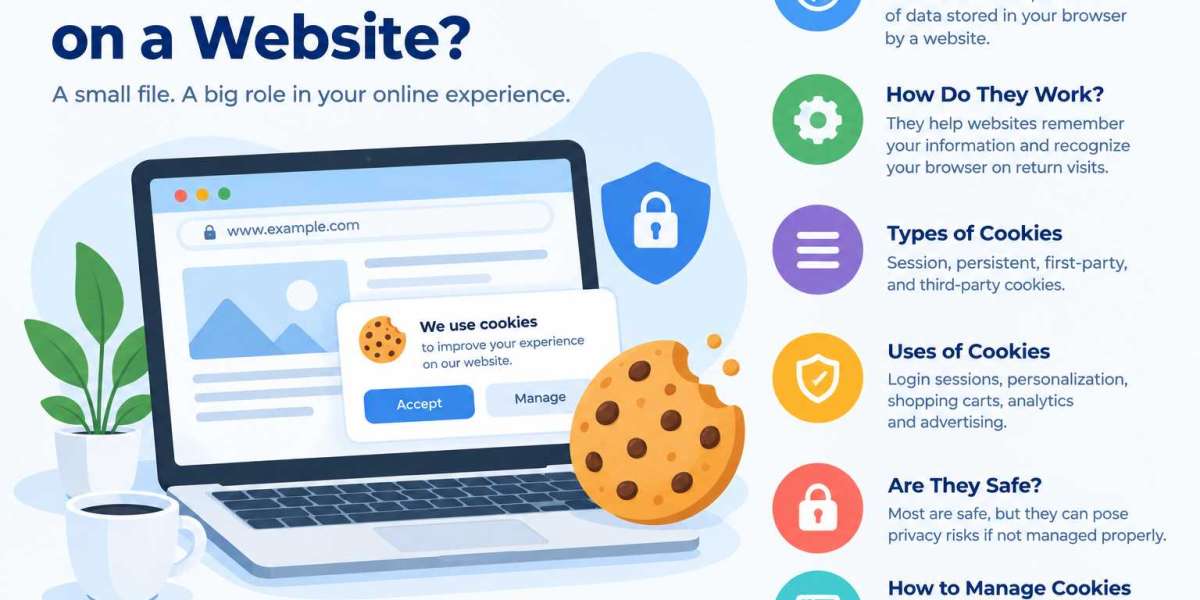

A cookie on a website is a small piece of data that a website stores in a user's browser. Cookies help websites remember information about visitors, maintain login sessions, save preferences, and provide a more personalized browsing experience. When you revisit a website, cookies can help it recognize your browser and remember certain details from your previous visit.
Understanding website cookies is important for both internet users and website owners. Cookies can improve usability and website functionality, but they also raise privacy considerations when they are used to track browsing activity or personalize advertising.
How Do Website Cookies Work?
Website cookies work by storing small text-based pieces of information in a browser. When you visit a website, the server may send a cookie to your browser. The browser stores it and sends it back to the website in relevant future requests, depending on the cookie's settings.
For example, when you log in to an online shopping website, cookies may help maintain your session as you browse different pages. Similarly, a website may use cookies to remember your language preference or items in your shopping cart.
Cookies generally do not contain executable programs. Instead, they store information that helps websites recognize a browser or maintain specific functions.
What Are the Different Types of Website Cookies?
Websites use several types of cookies depending on their purpose and duration.
1. Session Cookies
Session cookies are temporary cookies that typically expire when you close your browser session. They help websites maintain information while you navigate between pages, such as keeping you logged in during a browsing session.
2. Persistent Cookies
Persistent cookies remain in your browser until they expire or you delete them. They can remember settings such as language preferences, allowing a website to provide a more convenient experience when you return.
3. First-Party Cookies
First-party cookies are created by the website you are visiting. They commonly support essential functions, remember preferences, and help website owners understand how visitors interact with their pages.
4. Third-Party Cookies
Third-party cookies are associated with a domain different from the website you are visiting. They have historically been used for cross-site advertising and tracking. However, browser support and restrictions on third-party cookies vary, and many browsers limit or block them.
What Are Website Cookies Used For?
Website cookies support several useful functions that improve the browsing experience.
Login sessions: Cookies help maintain a user's authenticated session.
Personalization: They can remember language, location preferences, and display settings.
Shopping carts: E-commerce websites may use cookies to keep track of items selected by visitors.
Analytics: Certain cookies help website owners understand visitor behavior and improve website performance.
Advertising: Some cookies support ad measurement, personalization, and tracking across websites, depending on the implementation and browser policies.
The type of cookie used depends on the website's functionality and privacy requirements.
Are Website Cookies Safe?
Most website cookies are not inherently dangerous. They are commonly used to make websites work properly and improve convenience. However, cookies can create privacy risks when they are used for extensive tracking or are configured insecurely.
For example, an improperly secured session cookie could potentially expose a logged-in account if it is stolen. Website developers can reduce these risks by using HTTPS and appropriate cookie attributes, including Secure, HttpOnly, and SameSite, where suitable.
Internet users can also review cookie settings, clear stored cookies, and adjust browser privacy controls. It is important to remember that deleting cookies may sign you out of websites or remove saved preferences.
What Happens When You Accept or Reject Cookies?
When you visit a website, you may see a cookie consent banner asking you to accept or reject certain cookies.
Accepting cookies may allow the website to remember preferences or enable optional analytics and advertising features. Rejecting optional cookies can limit tracking and personalization, although some website features may work differently.
Essential cookies may be necessary for core functions, such as maintaining a secure login or processing a shopping cart. The consent requirements for different cookies depend on applicable privacy laws and how the website uses them.
Website owners should provide clear information about their cookie practices and offer appropriate consent choices where required.
How Can You Manage Website Cookies?
You can manage cookies through your browser settings. Most modern browsers allow you to view, delete, block, or restrict cookies.
Here are some practical steps:
Open your browser's settings or privacy menu.
Find the cookies or site data section.
Review the available options for deleting or blocking cookies.
Choose whether to allow cookies, restrict third-party cookies, or clear stored site data.
Review individual website permissions when you want more control.
The exact steps vary by browser. Blocking all cookies may prevent some websites from functioning correctly, so adjusting settings to suit your needs can be a more practical approach.
Why Are Cookies Important for Website Owners?
Cookies help website owners deliver a reliable and convenient online experience. They can support authentication, shopping cart functionality, preference management, and certain forms of website analytics.
For businesses, implementing cookies correctly also means considering privacy, security, transparency, and compliance with relevant regulations. Website owners should avoid collecting unnecessary information and ensure that cookies are configured for their intended purposes.
A well-designed website should explain its cookie practices through a clear privacy policy and, when appropriate, a dedicated cookie notice or consent management tool.
Conclusion
A cookie on a website is a small piece of data stored in a browser to help a website remember information and provide useful functionality. Cookies support login sessions, shopping carts, saved preferences, analytics, and certain advertising features.
Although cookies are a normal part of modern web browsing, users should understand how they work and manage their privacy settings when necessary. Website owners should implement cookies securely, explain their purposes clearly, and follow applicable privacy requirements.
By understanding website cookies, both users and businesses can make better decisions about website functionality, online privacy, and security.