
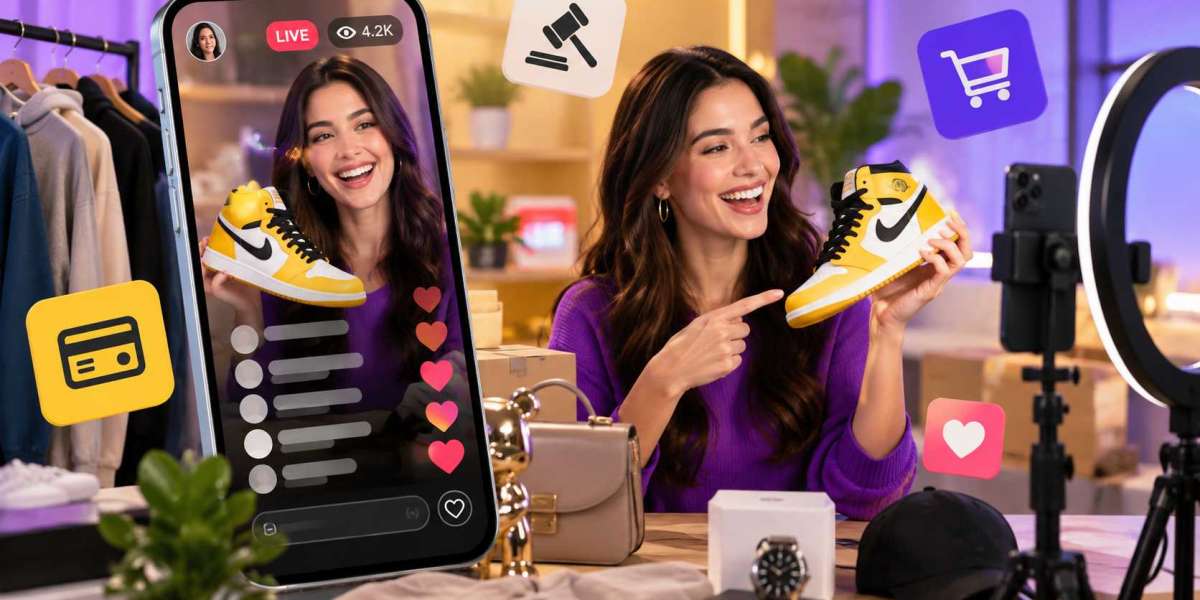

Live shopping is changing the way people discover and buy products online. Instead of simply scrolling through product pages, users can watch sellers live, ask questions, interact with other viewers, and purchase products during a stream.
This makes a Whatnot Clone App an interesting option for entrepreneurs who want to enter the live-commerce market.
But what features do you actually need?
You don't need to build every possible feature from day one. A better approach is to create an MVP with the core tools buyers and sellers need, then add advanced functionality as your marketplace grows.
What Is a Whatnot Clone App?
A Whatnot Clone App is a live-commerce marketplace where sellers can showcase products through live video while buyers interact and purchase products.
You can build a platform for niches such as:
- Fashion
- Sneakers
- Collectibles
- Electronics
- Beauty
- Toys
- Vintage products
- Hobby products
Your platform should have its own branding, design, and business rules rather than copying another company's protected assets.
1. Seller Registration and Profiles
Sellers need an easy way to create accounts and build their marketplace presence.
A seller profile can include:
- Profile image
- Bio
- Products
- Ratings
- Reviews
- Previous sales
- Upcoming live streams
A strong profile also helps buyers understand who they are purchasing from.
2. Live Streaming
Live video is the heart of this type of marketplace.
Sellers should be able to start or schedule live sessions and showcase products while interacting with viewers.
Useful streaming features can include:
- Live video
- Stream scheduling
- Viewer count
- Product display
- Stream notifications
- Moderation
- Stream controls
Streaming quality is important because poor video or audio can quickly ruin the shopping experience.
3. Product Listings
Sellers need a simple way to upload products before or during a live event.
Listings can include:
- Product name
- Photos
- Description
- Category
- Price
- Condition
- Inventory
Products can then be connected to a live stream so viewers know exactly what is being showcased.
4. Live Chat
Chat makes live shopping feel more interactive.
Buyers can ask questions, comment on products, and communicate with sellers during a stream.
You can include:
- Real-time messages
- Emoji reactions
- Notifications
- User blocking
- Reporting
- Chat moderation
For larger streams, moderation tools become increasingly important.
5. Auction and Bidding
Auctions can add another layer of engagement.
A seller can start an auction while viewers submit bids in real time.
Important functionality may include:
- Starting price
- Bid amounts
- Countdown timer
- Highest bid
- Bid notifications
- Winner confirmation
The bidding system should clearly communicate rules so buyers know what happens when an auction ends.
6. Buy Now Option
Not every product needs an auction.
A Buy Now option lets sellers offer products at a fixed price.
This gives buyers another way to purchase without waiting for bidding to finish.
Having both fixed-price sales and auctions can make the marketplace more flexible.
7. Secure Checkout
Once a buyer purchases an item, checkout should be simple.
The process can include:
- Order summary
- Delivery address
- Shipping cost
- Payment method
- Payment confirmation
Avoid unnecessary steps.
A simple checkout experience can make it easier for users to complete purchases.
8. Payment Integration
Your Whatnot-style marketplace needs a reliable payment system.
Depending on your target market, you may support:
- Credit cards
- Debit cards
- Digital wallets
- Payment gateways
- Refunds
- Seller payouts
Payment requirements vary between countries, so choose services that fit your market and business model.
9. Order and Shipping Management
After a sale, buyers need to know what happens next.
Your app can provide:
- Order confirmation
- Shipping status
- Tracking information
- Delivery updates
- Order history
Sellers should also have tools to manage orders and shipping.
10. Ratings and Reviews
Trust is important when buyers purchase from independent sellers.
A review system allows buyers to share feedback after a transaction.
You can also provide reporting and moderation tools to handle inappropriate or misleading reviews.
11. Notifications
Notifications keep users updated about important activity.
For example:
- A followed seller is going live
- A new message arrives
- An auction is ending
- A bid has been placed
- An order has shipped
- A product is available
Personalized notifications can encourage users to return to the platform without overwhelming them with unnecessary alerts.
12. Admin Dashboard
Your marketplace needs an administration system behind the customer-facing app.
An admin panel can help manage:
- Users
- Sellers
- Products
- Live streams
- Auctions
- Orders
- Payments
- Categories
- Reviews
- Reports
It can also provide marketplace analytics so you can understand what's happening on the platform.
Advanced Features for a Whatnot Clone
Once the basic marketplace is working, you can consider advanced features.
Personalized Recommendations
Recommend products based on browsing, purchases, searches, and saved items.
Seller Analytics
Show sellers:
- Views
- Sales
- Product performance
- Viewer engagement
AI Product Recommendations
AI can help personalize product discovery and suggest relevant items.
Advanced Moderation
Automated tools can help identify suspicious activity, inappropriate content, or potentially problematic listings.
Multiple Seller Categories
Create specialized sections for different product types and communities.
These features can make the platform more sophisticated, but they also increase development complexity.
Build From Scratch or Buy Ready-Made Software?
Building everything from scratch gives you complete control, but it also requires more time and development work.
Another option is to start with existing software.
You can Buy Readymade Apps and look for marketplace software that already provides some of the functionality you need.
Your developers can then focus on branding, customization, integrations, and features that make your platform different.
Can You Create a White-Label Whatnot Clone?
Potentially, yes.
If the software license allows rebranding and customization, an existing application can be adapted for your own business.
You can explore White Label Apps and find software that may provide a starting point for your live-commerce marketplace.
Always check the license before purchasing. Make sure your planned commercial use, customization, and deployment are permitted.
How Much Does a Whatnot Clone Cost?
The cost depends on the scope of your project.
Major cost factors include:
- Live streaming
- Auction functionality
- Mobile platforms
- Backend
- Payments
- Chat
- Shipping
- Admin panel
- UI/UX
- Third-party integrations
- Customization
- Maintenance
A basic MVP will require less development than a full marketplace with advanced recommendations, analytics, moderation, and complex live-streaming infrastructure.
Final Thoughts
A successful Whatnot-style marketplace needs more than live video.
You need a smooth combination of streaming, products, interaction, payments, auctions, sellers, and administration.
Start with the features that make the buying and selling process work. Then add advanced functionality once you understand your users.
If you don't want to build every basic component from zero, you can also buy apps from developers and evaluate existing software as a starting point.
The key is to build a marketplace that fits your niche and gives both sellers and buyers a reason to keep coming back.
FAQs
What are the main features of a Whatnot Clone App?
Core features include live streaming, seller profiles, product listings, live chat, auctions, checkout, payments, orders, notifications, reviews, and an admin dashboard.
Does a Whatnot Clone need live streaming?
Yes. Live streaming is a central part of the live-commerce model, although the exact streaming functionality depends on your business requirements.
Can I add auctions to a Whatnot Clone?
Yes. Auction and real-time bidding functionality can be added, including bid tracking, countdowns, and winner confirmation.
Can a Whatnot Clone be white-labeled?
Potentially, if the software license allows rebranding, customization, and your intended commercial use.
How much does a Whatnot Clone cost?
The cost depends on features, live-streaming requirements, payment systems, auctions, customization, platforms, backend development, and maintenance.
Can I buy ready-made software for a Whatnot-style marketplace?
Yes, you can explore ready-made marketplace software and customize an existing product if its features and licensing terms fit your requirements.




