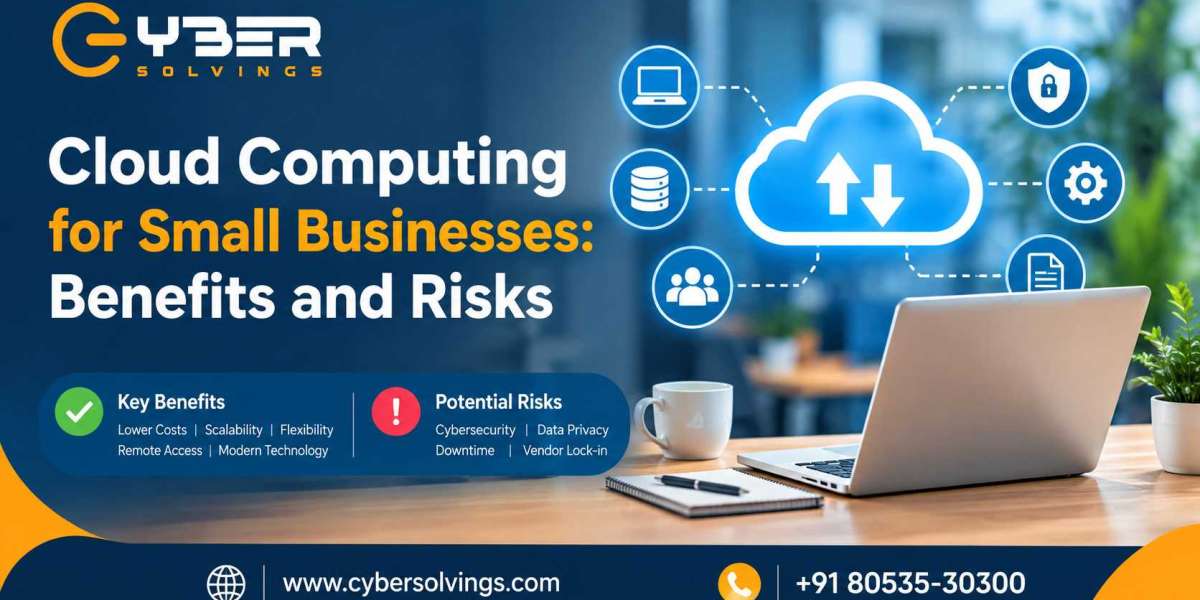

Cloud computing has changed the way businesses store data, run applications, communicate with customers, and manage everyday operations. What was once mainly associated with large enterprises is now accessible to small businesses through affordable and flexible cloud services.
For small businesses, cloud computing can reduce the need for expensive hardware, simplify IT management, support remote work, and make it easier to scale technology as the business grows. However, moving business operations to the cloud also introduces risks involving cybersecurity, data privacy, service availability, vendor dependency, and access management.
According to the National Institute of Standards and Technology (NIST), organizations should evaluate both the opportunities and risks associated with cloud computing before adopting cloud-based solutions.
In this guide, we will explore cloud computing for small businesses, including its major benefits, potential risks, different cloud service models, security considerations, and practical steps businesses can take to adopt the cloud more safely.
What Is Cloud Computing?
Cloud computing refers to using computing resources over the internet instead of relying entirely on physical infrastructure located within a business.
These resources can include:
- Data storage
- Servers
- Software applications
- Databases
- Networking
- Backup systems
- Development platforms
- Security services
- Business productivity tools
Instead of purchasing and maintaining a physical server, for example, a small business can use cloud infrastructure provided by a third-party provider.
Cloud services are commonly delivered through three major models:
1. Infrastructure as a Service (IaaS)
IaaS provides virtualized computing resources such as servers, storage, and networking.
A small business can use these resources without purchasing and maintaining the underlying physical hardware.
2. Platform as a Service (PaaS)
PaaS provides an environment where developers can build, test, and deploy applications without managing all the underlying infrastructure.
3. Software as a Service (SaaS)
SaaS allows businesses to use software applications through the internet, generally through a browser or dedicated application.
Examples can include email platforms, accounting software, customer relationship management systems, collaboration tools, and project management applications.
For many small businesses, SaaS is one of the simplest ways to begin using cloud technology.
Why Is Cloud Computing Important for Small Businesses?
Small businesses often operate with limited budgets, employees, and IT resources. Maintaining physical servers and managing complex IT infrastructure can require significant investment.
Cloud computing provides another approach.
Instead of purchasing large amounts of hardware upfront, businesses can subscribe to services based on their operational requirements.
CISA explains that cloud infrastructure can allow a small business to access computing capabilities without purchasing and maintaining all of the necessary physical hardware itself.
This can make technology more accessible while allowing businesses to concentrate on their products, services, customers, and growth.
Benefits of Cloud Computing for Small Businesses
1. Lower Upfront IT Costs
One of the biggest advantages of cloud computing is that businesses may not need to make large upfront investments in servers, storage systems, and other infrastructure.
Traditional infrastructure can involve expenses such as:
- Server hardware
- Networking equipment
- Storage devices
- Software licenses
- Maintenance
- Electricity
- Cooling
- Hardware replacement
With cloud services, businesses can often use subscription-based or usage-based services instead.
This can help small businesses allocate more of their technology budget toward business operations and growth.
However, businesses should still calculate long-term subscription costs and avoid assuming that cloud services are automatically cheaper in every situation.
2. Easy Scalability
Business requirements can change quickly.
A small company may have ten employees today and fifty employees several years from now. Its storage, computing, collaboration, and application requirements may increase accordingly.
Cloud services can make scaling easier because resources can often be adjusted according to changing requirements.
For example, a business may increase cloud storage when it needs more space or add additional software accounts when new employees join.
This flexibility can be particularly useful for growing businesses.
3. Remote Work and Collaboration
Cloud applications make it easier for employees to access business systems from different locations.
Depending on the application and security controls, employees may be able to access documents, communication tools, project-management platforms, customer information, and other resources through an internet connection.
This can support:
- Remote work
- Hybrid work
- Multiple office locations
- Business travel
- Collaboration with contractors
- Communication between distributed teams
Cloud technology therefore supports businesses that do not operate from a single physical location.
4. Automatic Updates
Managing software updates manually can be time-consuming for small businesses.
Many cloud-based applications are maintained by the service provider, which can reduce the amount of software maintenance required from the customer.
This does not eliminate the need for security management. Businesses still need to configure accounts correctly, install updates when required on locally managed devices, review permissions, and monitor their environment.
5. Backup and Disaster Recovery
Data loss can seriously disrupt a small business.
Cloud-based backup and storage solutions can provide additional options for protecting important business information.
Depending on the service, organizations may be able to maintain copies of data in different locations or recover information after accidental deletion or system failure.
However, businesses should verify exactly how backup and recovery work. Simply storing data in the cloud does not automatically guarantee that every file can be recovered after an incident.
6. Improved Access to Technology
Cloud services can provide small businesses with access to sophisticated technology without requiring them to build everything internally.
This can include:
- Business analytics
- Customer management systems
- Cybersecurity tools
- Communication platforms
- Data storage
- Development environments
- Artificial intelligence services
NIST notes that cloud adoption decisions should consider factors such as the type of service, data involved, system criticality, costs, and applicable security or regulatory requirements.
Risks of Cloud Computing for Small Businesses
Cloud computing provides significant opportunities, but it does not eliminate technology risks.
1. Cybersecurity Threats
Cloud accounts can become targets for attackers.
Common threats include:
- Phishing
- Credential theft
- Malware
- Ransomware
- Account takeover
- Business email compromise
- Misconfigured cloud services
NIST identifies phishing, ransomware, and business email compromise among cybersecurity risks relevant to small businesses.
If an attacker gains access to a privileged cloud account, they may be able to access sensitive information or disrupt business operations.
2. Data Privacy Concerns
Businesses often store sensitive information in cloud environments.
This may include:
- Customer information
- Employee records
- Financial information
- Business documents
- Intellectual property
- Password-related information
Before choosing a provider, businesses should understand how their information is stored, processed, protected, and deleted.
They should also review contractual, regulatory, and industry-specific requirements that may apply to their data.
3. Dependence on Internet Connectivity
Cloud applications generally depend on internet connectivity.
If the business experiences an internet outage, employees may temporarily lose access to important systems.
For this reason, businesses should consider backup connectivity for critical operations and understand which applications offer offline functionality.
4. Cloud Service Downtime
Cloud providers can experience service interruptions.
Even established providers can occasionally experience outages or technical problems.
Businesses should review service-level agreements (SLAs), availability commitments, support arrangements, and disaster recovery procedures before relying heavily on a particular service.
5. Vendor Lock-In
Moving from one cloud provider to another may not always be simple.
Businesses can become dependent on a provider's:
- Software
- Data formats
- APIs
- Infrastructure
- Workflows
- Security architecture
Before committing to a major cloud platform, businesses should understand how easily their data can be exported and how difficult it would be to migrate to another provider.
6. Poor Access Management
One of the most common cloud security problems can come from improperly managed user accounts and permissions.
Employees should receive only the access they need to perform their jobs.
When employees leave the organization, their accounts should be disabled or removed promptly.
Businesses should also consider multi-factor authentication (MFA), strong passwords, administrator controls, and regular permission reviews.
How Small Businesses Can Improve Cloud Security
Moving to the cloud should be accompanied by a practical cybersecurity strategy.
Use Multi-Factor Authentication
MFA adds an additional authentication factor beyond a password.
It can help protect accounts even when a password has been compromised.
Use Strong, Unique Passwords
Employees should avoid reusing passwords across multiple services.
A business password manager can help teams create and manage strong credentials.
Follow the Principle of Least Privilege
Users should receive only the permissions necessary for their responsibilities.
Administrative access should be limited and monitored.
Encrypt Sensitive Data
Encryption can help protect information while it is being transmitted and, depending on the service, while stored.
Businesses should understand the encryption capabilities offered by their cloud provider.
Back Up Important Information
Businesses should maintain appropriate backups of critical information and test their recovery procedures.
A backup strategy should consider accidental deletion, ransomware, system failures, and other disruptive events.
Train Employees
Technology alone cannot eliminate cybersecurity risks.
Employees should understand how to recognize suspicious emails, phishing attempts, unusual login requests, malicious links, and other common threats.
NIST emphasizes that small businesses should establish cybersecurity practices as part of broader business risk management.
How to Choose a Cloud Provider
Small businesses should evaluate providers carefully before moving important workloads to the cloud.
Consider the following questions:
Security
- What security controls does the provider offer?
- Is MFA supported?
- How is data protected?
- What monitoring capabilities are available?
Reliability
- What availability commitments are provided?
- What happens during an outage?
- How does the provider handle disaster recovery?
Data Protection
- Where is business data stored?
- How is data backed up?
- How can data be exported?
- What happens when the contract ends?
Support
- What support options are available?
- What are the response times?
- Is technical assistance available when needed?
Compliance
Businesses operating in regulated industries should determine whether the provider can support their legal, contractual, privacy, and regulatory requirements.
CISA also recommends that businesses pay close attention to the security practices and contractual terms of cloud providers because moving data to the cloud means giving an external provider some degree of control over the infrastructure where that data resides.
Cloud Computing Best Practices for Small Businesses
A practical cloud strategy can include these steps:
- Identify critical business data and applications.
- Classify sensitive information.
- Evaluate cloud providers before purchasing services.
- Enable multi-factor authentication.
- Apply least-privilege access controls.
- Review user permissions regularly.
- Maintain reliable backups.
- Create an incident response plan.
- Train employees about cybersecurity.
- Review cloud contracts and service-level agreements.
- Monitor accounts and unusual activity.
- Regularly reassess cloud security risks.
NIST's Cybersecurity Framework 2.0 Small Business Quick-Start Guide provides a structured starting point for small and medium-sized organizations that are developing or improving their cybersecurity risk-management practices.
How Cybersolvings Can Help
For small businesses, cloud adoption is not simply about moving files and applications online. It is about building an IT environment that supports productivity, scalability, security, and business continuity.
Cybersolvings can help businesses understand their technology requirements and develop practical IT and cybersecurity strategies suited to their operations.
From IT support and cybersecurity planning to cloud-related solutions, businesses can benefit from having experienced technical guidance when evaluating their infrastructure.
A structured approach can help organizations identify important systems, understand potential risks, improve access controls, and establish appropriate backup and security practices.
Visit www.cybersolvings.com to learn more about technology and cybersecurity solutions for your business.
Final Thoughts
Cloud computing can provide small businesses with flexibility, scalability, remote-access capabilities, and access to modern technology without requiring them to build and maintain all infrastructure themselves.
At the same time, cloud adoption introduces responsibilities around cybersecurity, privacy, access management, backups, provider selection, and business continuity.
The key is not simply deciding whether to use the cloud. Small businesses should determine which cloud services they need, what information they will place in the cloud, what risks those services introduce, and what security controls are necessary to manage those risks.
With careful planning, appropriate security controls, employee awareness, and ongoing risk management, cloud computing can become an important part of a modern small-business IT strategy.
As technology continues to evolve, working with an experienced IT and cybersecurity partner such as Cybersolvings can help businesses make informed decisions about their cloud infrastructure and security requirements.