
Introduction
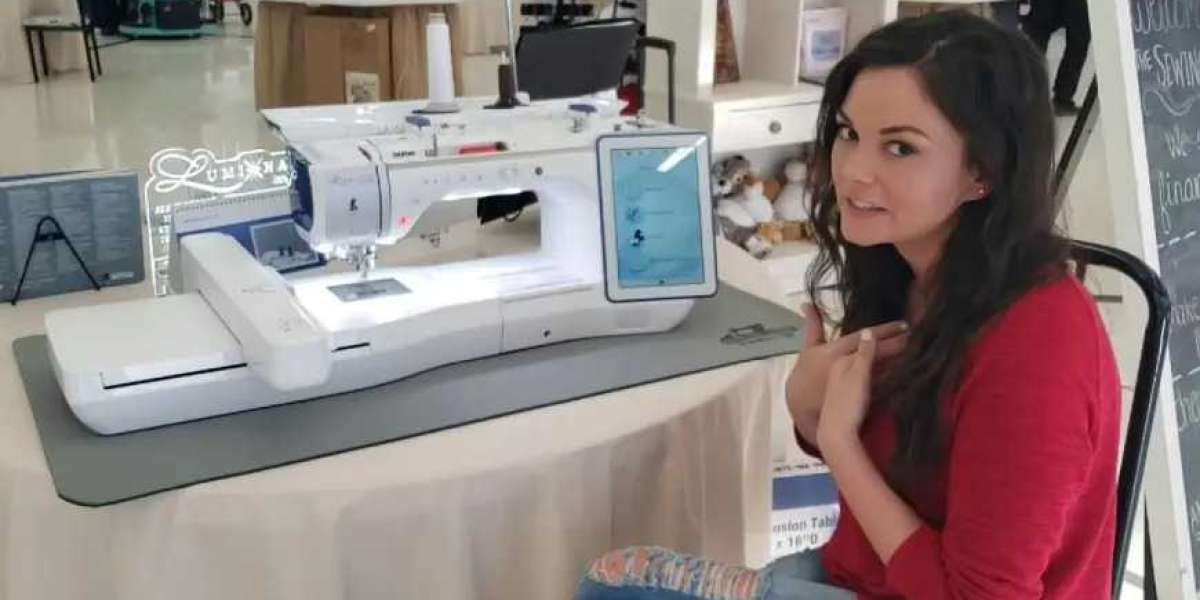
You finally invested in that Babylock machine you've been wanting. It may be a successful business venture, or it could be the key to making customized gifts that will amaze everyone. Whatever the reason, you have grand plans. You load up the design, press start, and watch as the needles move. It's almost magical. But here's the thing that no one tells you when you're just starting out: the magic isn't in the machine itself. The magic is in what you put into it. When you Convert Logo To Embroidery For Babylock, you're doing so much more than just converting a file. You're laying the groundwork for every stitch your machine will ever make. Do it right, and your Babylock machine will be singing. Do it wrong, and you'll be spending more time troubleshooting than actually making something. Let's discuss why this is important and how it will impact everything you do.
Your Babylock Speaks a Specific Language
Think of your Babylock as a friend who speaks only one language. You can't talk to them in French and expect them to answer you in English. The same applies to your machine.
Most Babylock home embroidery machines speak PES. That's their language. Some of the older Artista models speak ART, and the Solaris models speak EXP. But no matter what machine you have, it has one thing in common with every other embroidery machine on the market: it doesn't understand JPG or PNG.
Those are image files. They're like pictures. They show what something looks like, but they don't tell the machine how to make it. Your Babylock needs instructions on where to put the needle, what stitch to make, when to change colors, and in what order to sew everything. That's what a real embroidery file does.
The Nightmare of Poor Conversion
Let me give you an example of what bad conversion looks like.
You have a client who wants fifty polos for their company picnic. The logo isn't complicated—just a circle with some text in it. You find a cheap online service that will convert it for five bucks. Twenty-four hours pass, and you receive your file. It looks good on the computer.
You upload it to your Babylock, get the first polo threaded up, and turn it on. It looks good for the first two minutes. Then the thread breaks. You re-thread and turn it back on. It breaks again. By the time you get that first shirt done, you've spent more time repairing the thread than actually embroidering. And what do you get? A circle that looks like an egg, some blurry text, and a shirt that looks like it's been sat on.
This isn't just hypothetical. This happens every day to embroiderers who don't realize how important good conversion is.
What Proper Conversion Actually Does
When you do it right, someone (or something) is making dozens of decisions that will directly impact your finished product.
Stitch types are important. That circle in your logo? It may require satin stitches around the border to give it a smooth, professional look. The solid background? That requires fill stitches, but not too many or it'll feel like cardboard. The tiny text? That requires special care or it'll end up looking like an unreadable mess.
Underlay is invisible but vital. Before your machine puts down those pretty top stitches, it needs to put down some foundation stitches called underlay. This will keep the fabric in place, prevent puckering, and give your top stitches something solid to sit on. Don't do this, and your logo will end up shifting and distorting no matter how carefully you do the rest.
Pull compensation keeps shapes truthful. Thread has tension. When your machine is sewing, this tension pulls the fabric. A true circle in your design will come out as an oval unless your digitizer is compensating for this pull. A good conversion will add just a little bit of width to compensate for this, so your circles will remain circles.
Density is important to everything. Too much stitching and your design will be stiff and heavy. Too little and you'll see holes in your design where the fabric is showing through. A good conversion will get this just right.
How This Affects Your Everyday Stitching
Perhaps you're thinking, "I'm just doing this for fun. Does it really matter that much?" Honestly? Yes.
Even if you're only making gifts for friends and family, you want those gifts to look good, right? A hat with a puckered, misaligned logo doesn't say "I put thought into this." It says "something went wrong."
When your files are converted correctly:
- Your machine is running smoothly with fewer thread breaks
- Your designs are looking crisp and professional
- You are spending less time troubleshooting and more time creating
- Your finished products are making people say "wow" instead of "hmm"
When they're not:
- You're always stopping to repair a thread
- You're wasting fabric on test failures
- You're frustrated and wondering why this hobby isn't more enjoyable
- You're reluctant to start projects because you're not sure they'll work
- The Babylock Advantage
Here's the best part. Babylock machines are extremely powerful. They're famous for their thread tension control, smooth stitching, and capacity to work on intricate designs. If you supply them with the right converted files, they'll perform like magic.
The 15-needle system on most Babylocks allows you to work on intricate multi-colored logos without having to switch threads all the time. The color LCD displays enable you to view designs before you start stitching. The sophisticated tension systems ensure that everything goes smoothly.
However, all this technology goes for naught if you supply your Babylock with a poor file. Your machine can only do what you provide it with.
Your Options for Getting It Right
So, how do you ensure your logos convert correctly? Well, you have a few options.
Teach yourself to digitize. This takes time and effort. You'll need software such as Hatch, Embrilliance, or the Palette software provided by Babylock themselves. You'll need to learn about stitch patterns, density settings, underlay methods, and pull compensation. It's definitely possible, but it will take patience on your part. Professional digitizers take years to learn this skill.
Use auto-digitizing. Most software comes with an auto-digitizing option. This is fine for very simple designs with large shapes and limited color schemes. However, for anything with small text or intricate details, auto-digitizing will likely require a lot of manual editing. It's more of a first draft than a finished product.
Hire professionals. This is what successful embroiderers do, regardless of whether they're running a home business or a full-fledged commercial operation. Companies such as Absolute Digitizing, Digitizing Buddy, Cool Embroidery Design, and Absolute Digitizer are specifically geared towards this exact purpose. They'll take your logo and send it back to you perfectly converted to a PES file for your Babylock machine. No software to buy, no learning curve, no frustration and trial-and-error.
The Test Stitch Rule
Here's a rule that will save you more heartache than anything else in this article: always test before you produce.
Even with the best conversion in the world, different fabrics behave differently. That logo that stitches perfectly on cotton might pucker on performance mesh. The file that runs smoothly at normal speed might break threads when you push your machine faster.
Before you stitch fifty shirts, stitch one. On the actual fabric you're using. With the same stabilizer. At the same speed. Examine it closely. If something's off, now's the time to fix it, not after you've ruined a stack of garments.
Professional digitizing services expect this. They include free revisions because they know that sometimes the first file needs tweaking for your specific setup. That's not failure—that's collaboration.
What You're Really Paying For
When you pay for proper logo conversion, whether through software or a service, you're buying more than a file. You're buying peace of mind. You're buying the confidence that your Babylock will run without drama. You're buying the satisfaction of handing someone a beautifully embroidered piece and knowing you made it happen.
Your time is valuable. Your materials cost money. Your reputation matters. Proper conversion protects all of these.
Conclusion
Your Babylock embroidery machine is a remarkable tool. It can take thread and fabric and turn them into art. But it needs your help. When you Convert Logo To Embroidery For Babylock the right way, you set yourself up for success. Your machine runs better, your designs look better, and you actually enjoy the process instead of fighting with it.
Whether you learn to digitize yourself or partner with professionals who already know how, investing in proper conversion pays off in every project you stitch. Take the time to get it right. Your Babylock—and everyone who receives your beautiful work—will thank you.